
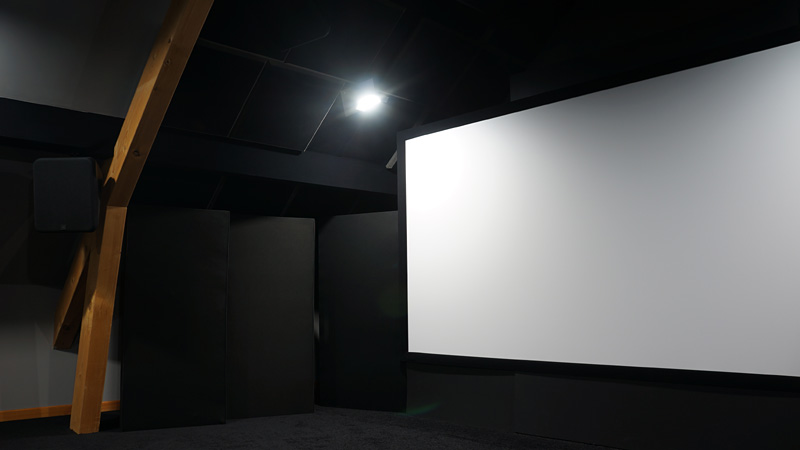
What you choose is not a diagonal, it is an angle
A 2.50 m wide screen seen from 6 m looks small. The same screen seen from 2.50 m becomes uncomfortable. The diagonal is therefore not a property of the installation, only a property of the hardware.
The quantity that describes what you will actually see is the horizontal viewing angle: the angle subtended by the image width from your seat. Every industry recommendation is expressed that way, which is what makes them transferable from one room to another.
The practical consequence is liberating: there is no single correct screen size, only a pair of size and distance. Two very different installations can deliver exactly the same perceived image.
The two references, and what they actually say
Two sets of recommendations circulate, and they do not aim at the same thing.
SMPTE, in its engineering guideline EG-18, sets a minimum horizontal angle of 30°. That is a floor: wide enough for the image to envelop you, modest enough that it can be taken in at a glance.
THX works in three tiers: 40° as the ideal angle, 36° as the recommended minimum, and 26° as the acceptable minimum for the back row of a room. That last figure is often forgotten, although it is the only one that speaks to rooms with several rows.
Remember the hierarchy rather than the isolated numbers: below 26° the image stops immersing; from 30° you are in acceptable territory; between 36° and 40° you are in the range a dedicated room aims for.
From distance to size: the conversion
The angle converts into centimetres with a simple tangent: the image width equals twice the viewing distance multiplied by the tangent of half the angle. In 16:9, width is 0.8716 times the diagonal, which lets you get back to the commercial figure.
Here is what that gives for four common viewing distances. The second value in each cell is the corresponding 16:9 diagonal, in inches.
| Distance | 30° (SMPTE min) | 36° (THX recommended) | 40° (THX ideal) |
|---|---|---|---|
| 3.00 m | 1.61 m · 73" | 1.95 m · 88" | 2.18 m · 99" |
| 3.50 m | 1.88 m · 85" | 2.27 m · 103" | 2.55 m · 115" |
| 4.00 m | 2.14 m · 97" | 2.60 m · 117" | 2.91 m · 132" |
| 4.50 m | 2.41 m · 109" | 2.92 m · 132" | 3.28 m · 148" |
The calculation also works the other way round, which is often the real question: what distance for a screen already chosen? In multiples of the diagonal, for 16:9:
| Target angle | Distance | Example, 120" screen |
|---|---|---|
| 40° · THX ideal | 1.20 × diagonal | 3.65 m |
| 36° · THX recommended | 1.34 × diagonal | 4.09 m |
| 30° · SMPTE minimum | 1.63 × diagonal | 4.96 m |
| 26° · THX back row | 1.89 × diagonal | 5.76 m |
The limit resolution imposes
Here is the point that correspondence tables almost always omit, and it changes how everything above should be read.
Widening the angle spreads the same number of pixels over a larger visual area. At some point the pixel grid becomes perceptible, and the image gains in size what it loses in apparent sharpness. The human eye resolves detail down to about one arcminute, which corresponds to a density in the order of 60 pixels per degree.
| Horizontal angle | 1080p | 4K |
|---|---|---|
| 26° | 73.8 px/° | 147.7 px/° |
| 30° | 64.0 px/° | 128.0 px/° |
| 36° | 53.3 px/° | 106.7 px/° |
| 40° | 48.0 px/° | 96.0 px/° |
| 45° | 42.7 px/° | 85.3 px/° |
The reading is clear. At 1080p, you drop below the acuity threshold as soon as you go past 30°: the SMPTE recommendation therefore roughly matches the limit of that resolution. At 4K you stay comfortably above it up to 45°.
In other words, THX's 36° to 40° assumes a 4K source. Aiming for 40° with a 1080p source means buying size at the cost of definition. That is not forbidden, it is a trade-off, but better made knowingly.
The point no setting can fix
As with subwoofer placement and height speaker placement, the geometry is decided up front.
Video calibration acts on colour, gamma and luminance. It changes neither the size of the image, nor your distance, nor the number of pixels in the source. No setting adds resolution, and none compensates for an undersized screen.
That is why the order of decisions is always the same: seating and image size first, hardware next, calibration last. The guide on calibrating with ColorHCFR covers that final step.
Where the answer is different
Several rows of seats. The angle changes at every row. The approach is to target the main row and check that the back one stays above 26°, which bounds the useful depth of the room.
A scope screen. The angle is computed on the width. At equal width, a 2.35:1 screen therefore gives the same horizontal angle as a 16:9 one, with less height. Comparing diagonals across formats is meaningless.
An acoustically transparent screen. Placing speakers behind the fabric changes the width constraints, and the insertion loss of the cloth adds to the budget. The subject is covered in the measured fabrics methodology.
Screen height and sightlines. The horizontal angle says nothing about vertical comfort. A screen mounted too high tires the neck, and a badly computed sightline means the back row watches the head of the front row.
A television rather than a projector. The same angles apply, but the constraint shifts: available size has a ceiling, and high luminance changes how contrast is judged in a dark room.
What HTM computes
HTM starts from the geometry of the room and the seats you declared, then displays for each seat the viewing angle obtained rather than a recommended size. You therefore see immediately which row falls in which range, and by how much the back row misses the floor.
The point is to treat the whole room rather than one ideal seat, since it is the compromise between rows that causes trouble in real life.
These are geometric calculations, so they are reliable, but they depend on the dimensions you entered. And they do not replace trying it: tolerance for a wide angle varies a great deal between people.
Sources
- SMPTE EG-18, engineering guideline: minimum horizontal viewing angle of 30°.
- THX, room recommendations: 40° ideal, 36° recommended minimum, 26° minimum at the back row.
- The distances and multipliers on this page were recomputed by trigonometry (width to diagonal ratio of 0.8716 in 16:9) and agree with the published figures: 1.34 times the diagonal at 36°, 1.63 times at 30°.
- The 60 pixels per degree acuity threshold corresponds to the usual one arcminute limit. It is an order of magnitude, varying with the person and the content.
Further reading
The glossary defines the terms used here, and the guide on calibrating with ColorHCFR covers the step that follows choosing the geometry. The frequently asked questions cover how the application works.